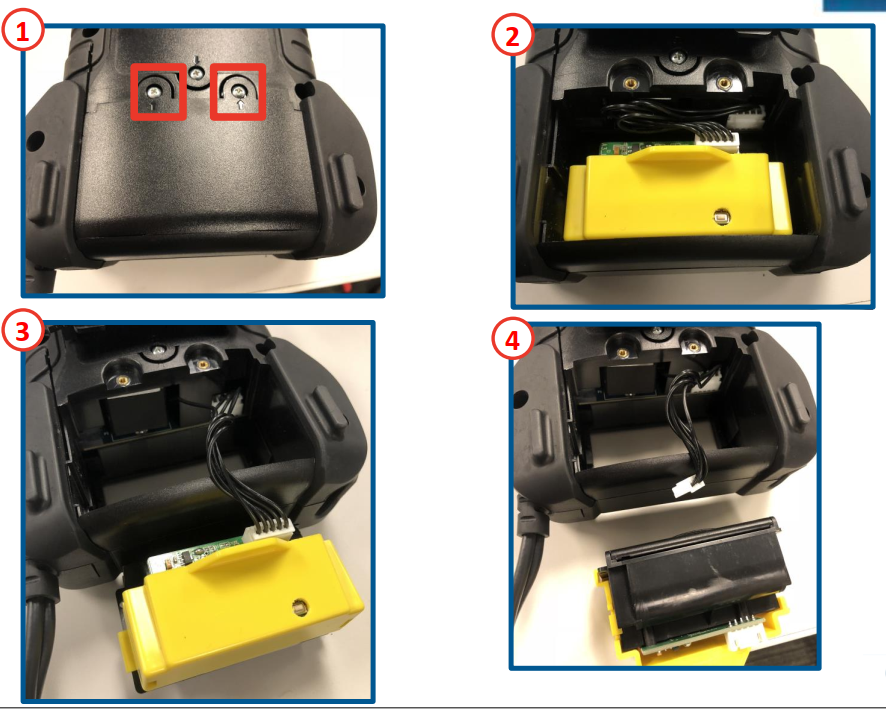
How to replace CPX-900 printer Remove battery door screws (lower rear housing)Remove battery doorRemove printer from housingDetach connection lead from printerReplace printerReverse steps to reinstall Updated on December 16, 2022 Related Articles Midtronics Technical Support Contact Information How to Replace Internal Batteries Ordering CPX-900 Accessories How to replace CPX-900 clamps What battery rating units does CPX-900 support? What battery chemistries can CPX-900 test?