
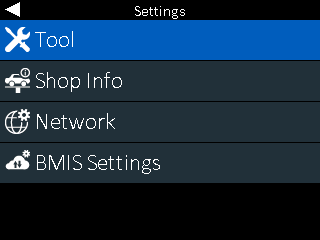
Use the Settings Menu to setup/adjust the tool, shop information, network connection or BMIS settings.
___________________________________________________________________________________
Settings – Tool
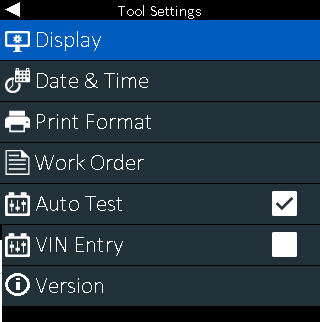
- DISPLAY – Select the default language, temperature units and number separator
- DATE & TIME – Setup the date, time, date format and time format
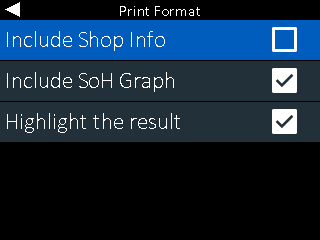
- PRINT FORMAT – Select printout options
- Turn on/off Shop Info
- Turn on/of State of Health Graph
- Highlight Overall Result
- WORK ORDER – Turn on/off Work Order entry during In and Out of Vehicle Testing
- AUTO TEST – Select to have CPX automatically start battery test when clamps are connected to battery.
- Auto Test should ALWAYS remain ON (checkmarked)
- VIN ENTRY – Select to enter VIN instead of manual battery detail entry
- VERSION – Shows software version, build number and serial number
___________________________________________________________________________________
Settings – Shop
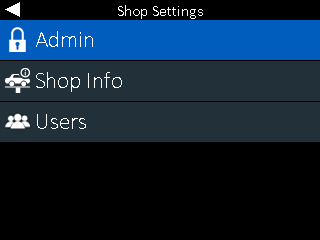
- ADMIN – Use to enable Administrator User and Admin PIN
- SHOP INFO – Allows shop information to be edited
- USERS – Use to Add or Edit Users
___________________________________________________________________________________
Settings – Network
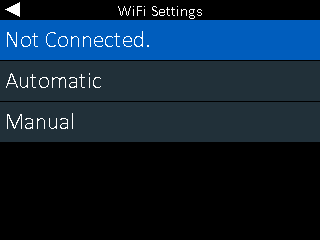
Use Network Setting to reconnect store/shop Wi-Fi to CPX
It is recommended to only use AUTOMATIC when reconnecting Wi-Fi
___________________________________________________________________________________
Settings – BMIS
**Changes should NOT be made to BMIS settings unless approved to do so**
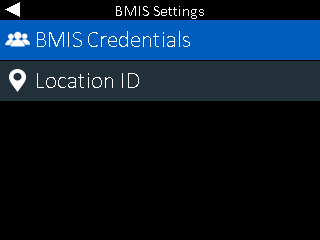
- BMIS CREDENTIALS – Edit credentials that allow access to user’s BMIS account
- LOCATION ID – Edit tools current shop/store location in BMIS